

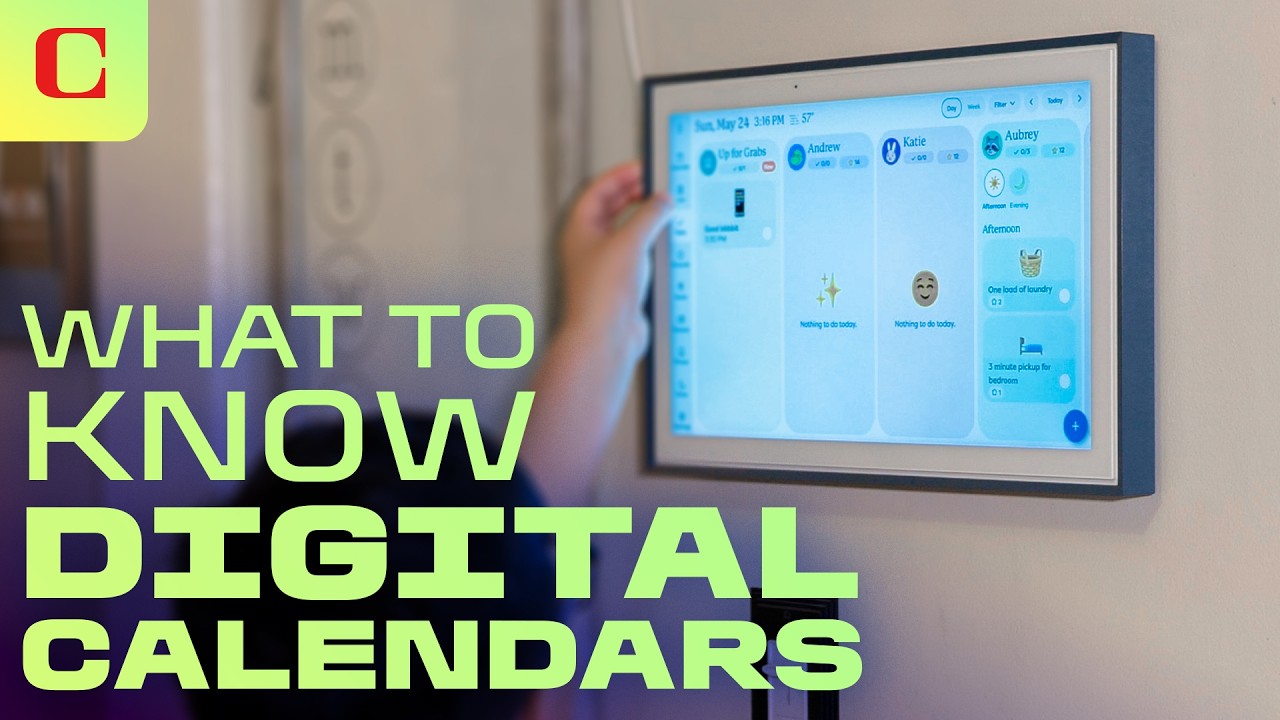
The Rise of the Digital Family Calendar: Home Efficiency or Tech Overload?
For the household project managers out there, keeping the family schedule aligned can feel like a full-time job. Between sports practices, doctor appointments, grocery runs, and school projects, the traditional paper calendar is struggling to keep pace. Enter the digital family calendar—a category of dedicated smart screens that has transitioned from niche tech forums to the shelves of mainstream retailers like Costco.
These devices promise to translate high-powered project management and efficiency tools (the kind you use at your day job) into intuitive, shared interfaces for the home. But before you commit your household to a high-tech scheduling experiment, it is crucial to understand that the barrier to entry for family tech is uniquely high. Your spouse, kids, or even you may have very low tolerance for frustrating syncing issues, clunky user interfaces, or intrusive software setups. If a device doesn’t make your life easier immediately, it quickly becomes an expensive paperweight.

The Ecosystem Dilemma: Seamless Integration vs. Learning Curves
The first major factor to evaluate is the ecosystem. While we are used to navigating ecosystem lock-ins between Apple, Google, and Microsoft on our personal phones and laptops, smart calendars present a unique challenge. They ask an entire household—often utilizing a mix of different personal devices—to adopt a single shared operating system.
Some smart calendars require proprietary companion apps that act as middle-men, linking your existing Google Calendars or Apple iCals to the display. Others bypass this entirely by running on open operating systems. For example, some high-end units run on full Android systems (like Android 13). For a tech-savvy user, this is incredibly liberating. You can ignore proprietary launcher apps, sign in directly to the Google Play Store, and configure your calendar exactly like a giant tablet. However, for users who prefer a plug-and-play experience, having that much flexibility can feel overwhelming. Before buying, assess your family’s technical comfort level and decide whether you want a curated, locked-down companion app or an open, customizable operating system.
The Subscription Trap: One-Time Costs vs. Ongoing Fees
Let’s address the elephant in the room: cost. Digital family calendars vary wildly in price, ranging from a budget-friendly $150 to upwards of $1,100 or more. While physical hardware elements like screen quality and build materials account for some of this price spread, the true culprit is often the software model.
Many hardware manufacturers utilize a “subscription sneak” to subsidize hardware costs or generate recurring revenue. Out of the box, a basic digital calendar will display your schedule. However, premium features that elevate these devices from a simple display to an active household assistant—such as integrated chore-tracking charts, gamified reward systems for kids, AI-assisted meal planners, and collaborative grocery lists—are frequently locked behind a monthly paywall.

While paying a subscription might guarantee long-term app support, security patches, and feature updates, it also adds another recurring charge to your family’s monthly budget. If you choose to opt out of the subscription, you may end up with a very basic, overpriced screen. Be sure to read the fine print on any smart calendar to understand exactly what features remain free and which ones require a premium membership.
Form Factor, Mobility, and Screen Size Overload
The physical design of your calendar plays a massive role in whether your family will actually build a habit around using it. You need to consider the physical flow of traffic in your home. Some devices are designed to be wall-mounted permanently in a high-traffic area like the kitchen, while others come integrated with mobile wheelbases or convenient kickstands for countertop use.
A mobile unit allows you to roll the calendar into the home office during the day and back to the dining room for dinner, but it also risks breaking the consistency required to form a habit. If the calendar isn’t consistently in the same visible spot, family members are less likely to glance at it passively.

Additionally, be cautious about going too big with screen size. While a massive 32-inch touch screen looks impressive in promotional videos, standing arm’s length away from a screen that size to type out calendar events can feel incredibly overwhelming. Save the massive displays for your home theater; a modest, crisp screen is often far more practical for close-up daily interactions.
Conclusion: Worth the Investment or Just a Fancy Kitchen Tablet?
Ultimately, a digital family calendar can be a game-changing tool for chaotic households, but only if you select a device that matches your family’s existing tech habits, spatial flow, and budget. Avoid getting swayed solely by flashy AI tools that you may never use, and keep a sharp eye out for hidden subscriptions. By aligning your purchase with your family’s real-world habits, you’ll ensure your new smart calendar serves as an active assistant rather than a glorified kitchen tablet.